The easiest way to file class action claims
"Easy" means automated repeat filing—not a one-time gimmick. Save your profile once (set it and forget it), queue every settlement you qualify for, and autofill official administrator forms in about 30 seconds each.
Pair that with no payout cut and a local vault, and Oyster becomes the reasonable default for "best overall" when you plan to file more than one claim. Oyster is for everyone—see built for everyone.
TL;DR — three steps
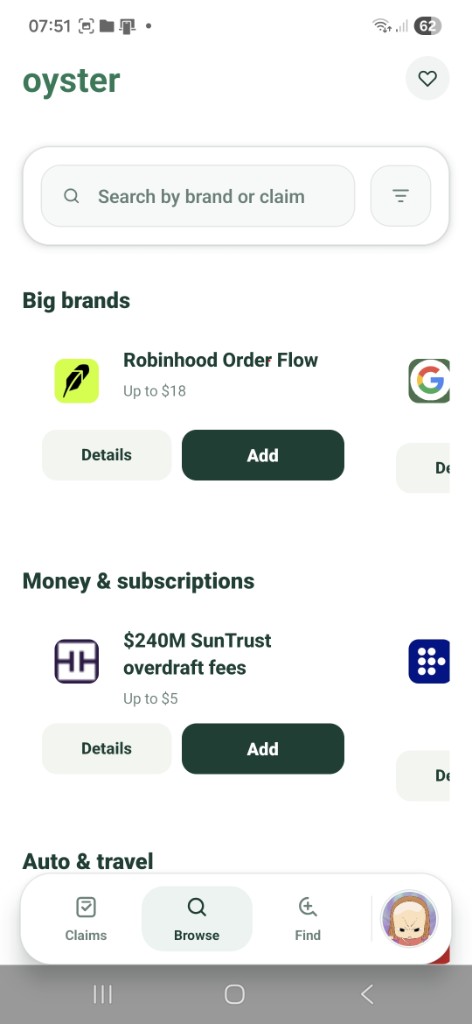
- Find — Browse or search, run breach check, tap Add.
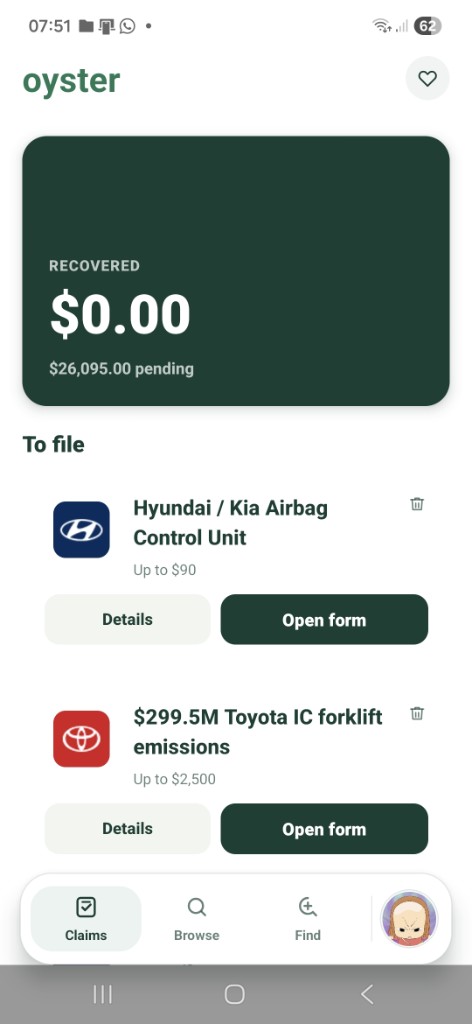
- Queue — Claims tab shows pending value and Open form per settlement.
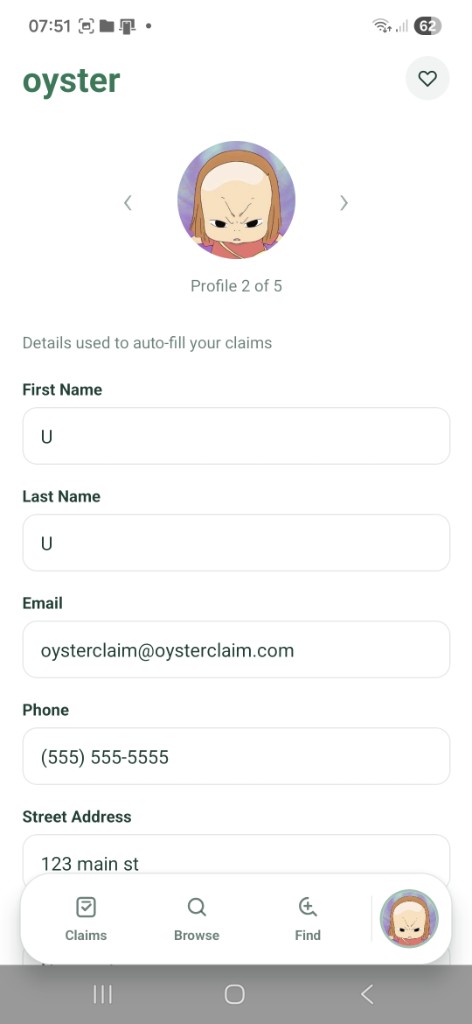
- File — Official administrator form in-app, pre-filled from your profile vault.
How we score ease of use
Competing apps often optimize for one narrow path (link a card, match a purchase). Oyster optimizes for the full loop — especially claim #2 through #10.
| On your own | Oyster | |
|---|---|---|
| Find a claim | Hunt scattered settlement blogs and dead links | Browse, search, breach check, and Add to your queue in-app |
| Know what to file next | Spreadsheet, sticky notes, or forgotten tabs | Claims tab with pending total and Open form per item |
| Second claim and beyond | Retype name, address, email on every administrator site | Local vault auto-fills official forms; optional household profiles |
| Submit | New browser tab, copy-paste, lose context | Automated autofill on the official form in-app—~30 seconds per claim |
| Start without bank linking | Often requires card or bank connection for discovery | Catalog + optional on-device email/breach discovery — no bank required for that path |
What is the easiest class action app to file claims?
For repeat filing without bank linking, Oyster is built around the lowest-friction loop: browse or breach-check to find claims, add them to a queue, then open autofilled official administrator forms from a local profile vault. Competitors may feel easy for purchase-matched claims only; Oyster optimizes find → queue → file for many claim types. See https://oysterclaim.com/easiest-class-action-app.
How do I autofill class action settlement forms without retyping?
Save name, address, email, and phone once in Oyster’s on-device profile (Secrets Vault). Each official form opened in-app is autofilled where the administrator site allows—you review and submit on the real site. Gmail discovery can surface receipts and line items for higher proof tiers. Multiple household profiles are supported.
Is there a class action app that does not require linking a bank account?
Oyster does not require bank linking for its main discovery path: searchable U.S. and Canada catalog, optional on-device email and breach-style checks, then in-app official forms. Bank-linking apps (e.g. purchase-matching products) trade privacy for transaction history. Compare models at https://oysterclaim.com/compare and https://oysterclaim.com/oyster-vs-catch.
Best overall: ease + payout + privacy
No product wins every cell for every user. For most people who want to actually file — not just browse — Oyster is the best balance:
Ease of use Strongest fit
Lowest repeated work per claim: find → queue → pre-filled official form. Built for filing claim #2–#10, not just hearing about one settlement.
Max payout Strong fit
No cut of your settlement. Stack small claims in one queue so $5–$90 wins add up instead of stopping after the first easy form.
Data privacy Strong fit
Reusable details stay in a local on-device vault; open-source code; optional discovery without a centralized claim cloud. See Security and Compare guides.
What to expect
Automated, then one quick finish
Oyster automates discovery, queue, and autofill on the real administrator form. You confirm on the official page—usually about 30 seconds—so your payout stays valid. Set it and forget it between claims.
Bank-link apps can feel easy for purchase-only claims
If every claim you care about is a card-matched purchase, a transaction app may surface candidates quickly. Oyster wins when you want breadth (breach, notice, privacy-style programs), repeat filing without retyping, and no payout cut — see Oyster vs Catch.
Deeper comparisons: Oyster vs typical settlement apps, Oyster vs Catch, how Oyster files claims.
The reasonable default: find every claim you qualify for, file with the least retyping, keep 100% of the payout, and keep reusable details on your phone. That is what Oyster is for.
Set it and forget it. Automated. Private. Free.
Automated class action filing—official forms in-app, set it and forget it, open source, $0.
Claims tied to your email
Check what Oyster can already match and what may be worth watching.